
News
November 29, 2025
How to Track Facebook Marketplace Sales & Trades Using Notion
Learn how to track Facebook Marketplace sales and trades using Notion. This guide helps create organized dashboards for listings, buyers, pricing, and inventory management.
## Level Up Your Facebook Marketplace Game: Track Sales Like a Pro with Notion
Are you a regular seller or trader on Facebook Marketplace struggling to keep track of your listings, potential buyers, and ever-changing inventory? Juggling spreadsheets and scattered notes can be a real headache. But there's a solution that's gaining traction among savvy Marketplace users: leveraging the power of Notion to create a streamlined sales tracking system.
Notion, a versatile workspace application, offers a flexible platform to build custom dashboards tailored to your specific needs. This means you can say goodbye to the chaos and hello to a clear, organized overview of your entire Marketplace operation.
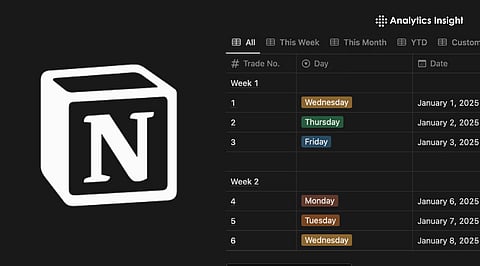
So, how does it work? The core idea is to create a database within Notion to house all your important information. Think of it as your digital command center for all things Marketplace. Each listing can become a separate entry in the database, allowing you to track key details like the item description, photos, original price, asking price, and any relevant notes.
But the real magic happens when you start adding relationships. You can link each listing to potential buyers, creating a separate database for contacts and tracking communication history. This means no more scrolling through endless Messenger threads trying to remember who asked about that vintage lamp!
Furthermore, Notion allows you to monitor pricing strategies and adjust them based on market trends or buyer interest. You can easily see which items are selling quickly, which are lingering, and adjust your prices accordingly to maximize your profit.
Perhaps the most valuable aspect is the ability to manage your inventory. By linking your listings to an inventory database, you can automatically update stock levels as items are sold or traded. This avoids the embarrassing situation of promising an item that's already gone and helps you stay on top of your supplies.
While setting up a Notion dashboard might seem daunting at first, numerous online guides and templates are available to help you get started. With a little effort, you can transform your Marketplace experience from a disorganized mess into a well-oiled machine, boosting your efficiency and ultimately increasing your sales. So, ditch the clutter and embrace the power of Notion to become a true Marketplace master!
Are you a regular seller or trader on Facebook Marketplace struggling to keep track of your listings, potential buyers, and ever-changing inventory? Juggling spreadsheets and scattered notes can be a real headache. But there's a solution that's gaining traction among savvy Marketplace users: leveraging the power of Notion to create a streamlined sales tracking system.
Notion, a versatile workspace application, offers a flexible platform to build custom dashboards tailored to your specific needs. This means you can say goodbye to the chaos and hello to a clear, organized overview of your entire Marketplace operation.
So, how does it work? The core idea is to create a database within Notion to house all your important information. Think of it as your digital command center for all things Marketplace. Each listing can become a separate entry in the database, allowing you to track key details like the item description, photos, original price, asking price, and any relevant notes.
But the real magic happens when you start adding relationships. You can link each listing to potential buyers, creating a separate database for contacts and tracking communication history. This means no more scrolling through endless Messenger threads trying to remember who asked about that vintage lamp!
Furthermore, Notion allows you to monitor pricing strategies and adjust them based on market trends or buyer interest. You can easily see which items are selling quickly, which are lingering, and adjust your prices accordingly to maximize your profit.
Perhaps the most valuable aspect is the ability to manage your inventory. By linking your listings to an inventory database, you can automatically update stock levels as items are sold or traded. This avoids the embarrassing situation of promising an item that's already gone and helps you stay on top of your supplies.
While setting up a Notion dashboard might seem daunting at first, numerous online guides and templates are available to help you get started. With a little effort, you can transform your Marketplace experience from a disorganized mess into a well-oiled machine, boosting your efficiency and ultimately increasing your sales. So, ditch the clutter and embrace the power of Notion to become a true Marketplace master!
Category:
Technology